Sample evidence pack
See what your auditor gets
The first pages of the PDF report, and the first rows of the spreadsheet.
Sample data. Northwind Health is a made-up company, and every name is invented. The files: PDF, 859 KB; Excel, 102 KB; Word, 632 KB. The report is also a Word file.
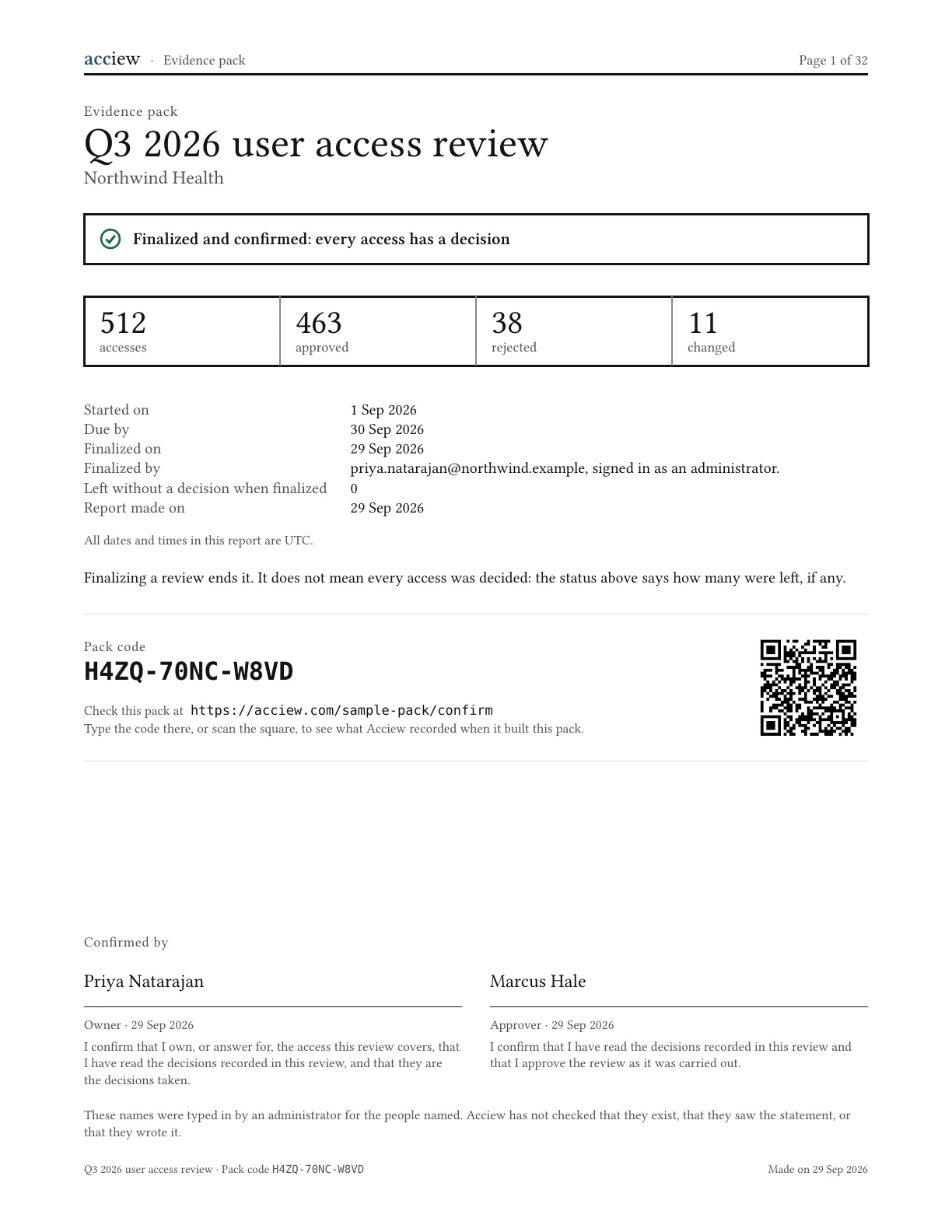 Page 1 full size (opens in a new tab)
The PDF report
32 pages for 512 accesses.
The cover, what was reviewed and every decision come first. The rest of the decisions follow, and a last section has the technical details for checking the pack. Select a page to see it full size.
Check this pack, as your auditor would
The cover has a pack code, H4ZQ-70NC-W8VD, and a square to scan. Open the check page, type the code, then pick the sample PDF to see it match.
Sample data.
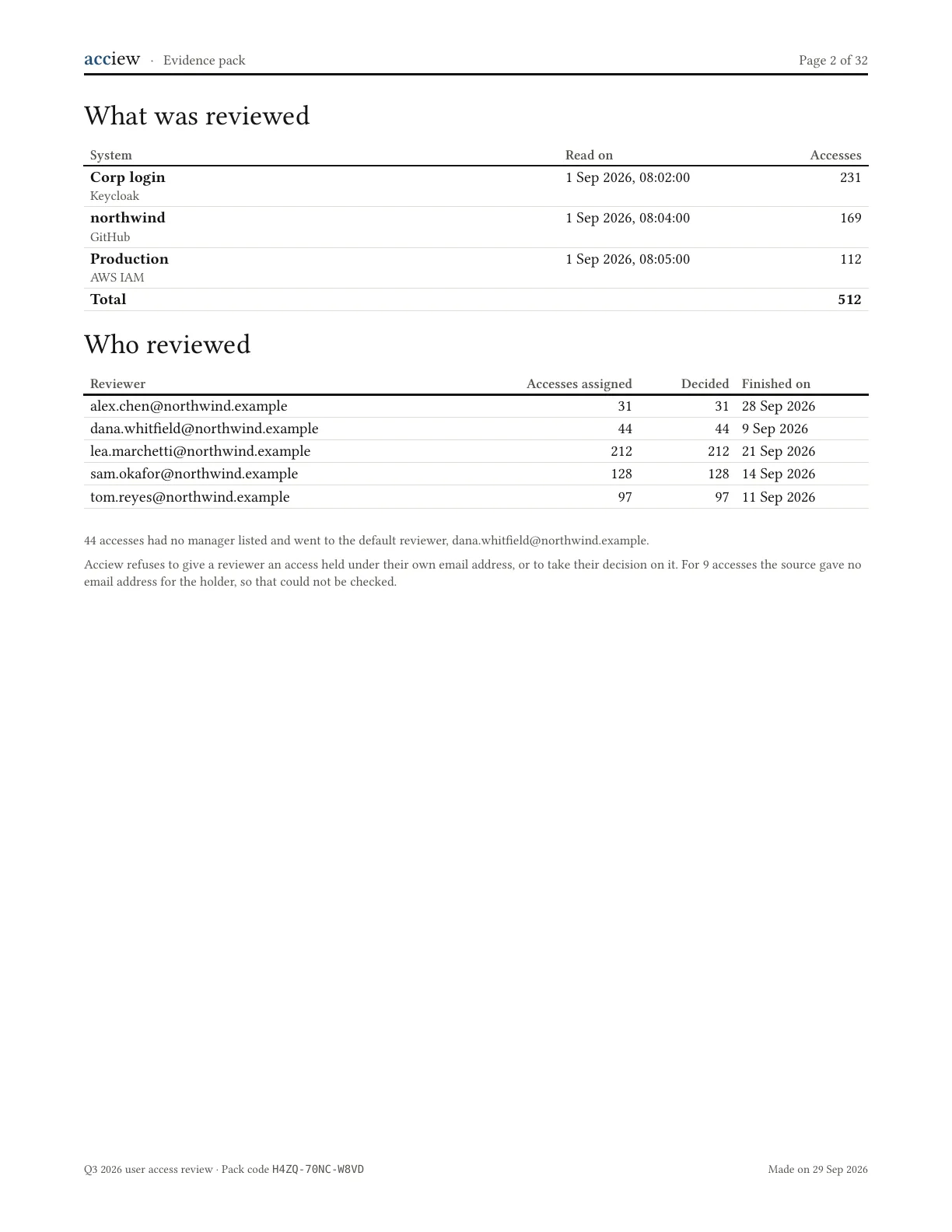 Page 2 full size (opens in a new tab)
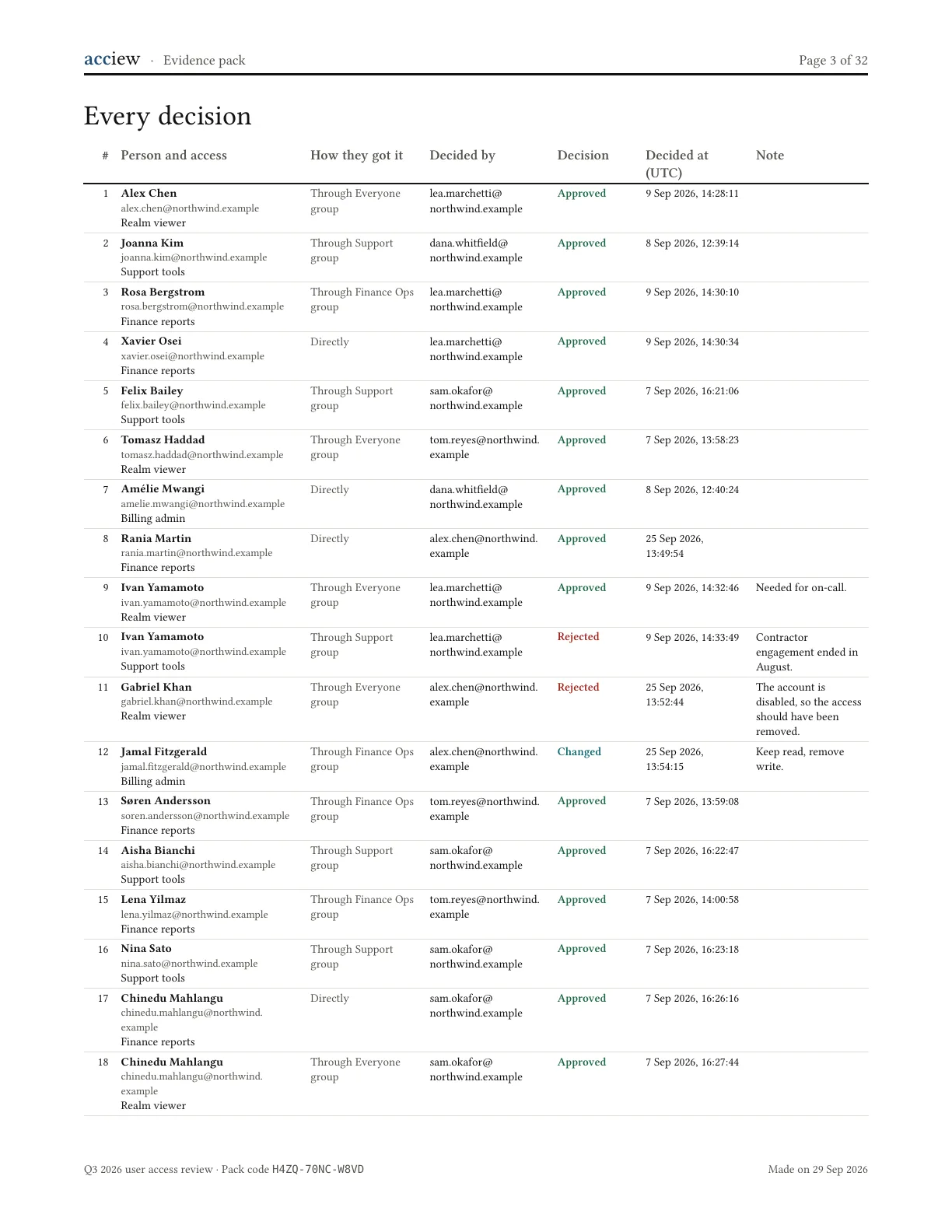 Page 3 full size (opens in a new tab)
The spreadsheet
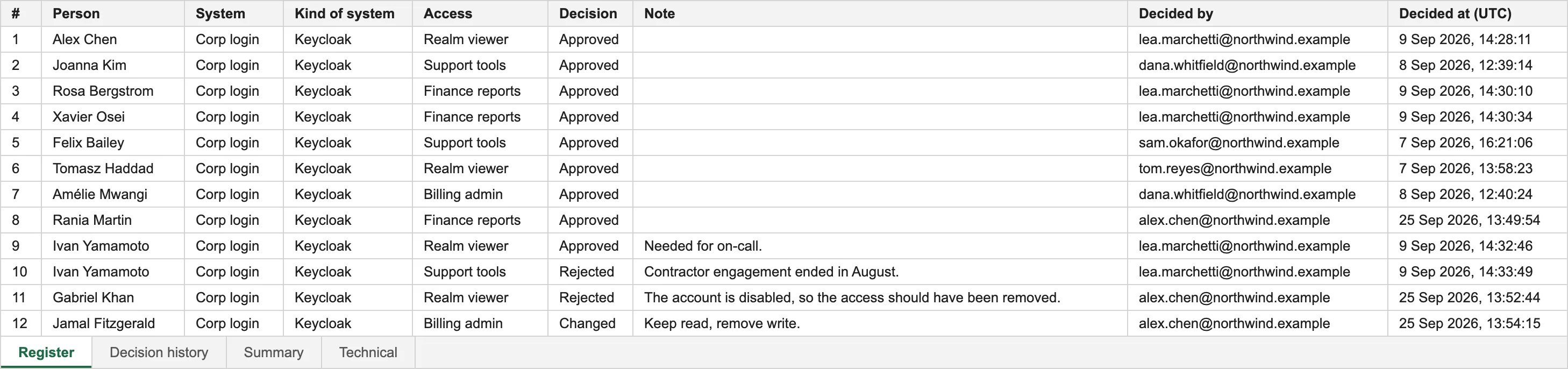
Every access, one row each.
The same 512 accesses as the report, with the system each is in, the decision, the note, and who decided and when.
For auditors
What is in a pack.
Two files to read, and the full record behind them.
- The spreadsheet. Every access, one row each, with the system it is in, its decision, who decided and when. A second sheet lists every decision made, including the ones that were later changed.
- The report, as PDF and Word. What was reviewed, by whom, the result, and who confirmed it.
- The full record. It comes in the same download as the two files, and these samples leave it out. What was collected from each system, and every decision as it was made. A decision that is changed does not replace the earlier one: both stay.
Every pack has a code on its first page. Your auditor types it on Acciew’s check page to see what Acciew recorded, and can check the PDF there without uploading it. Try it with the sample PDF: the sample check page.
Access review coming up? Run it with us.
Design partners get the product early, help setting up their first review, and a say in what we build next.